Live Project
In December of 2025, my class were assigned a project that would count towards our 315 minimum hours of practical experience we had to complete as part of our college course. The goal of the project was to build a minimalist, easy to update site for an artist to display artwork for sale. Our class of 11 students was prompted to split into smaller groups, each of which would showcase their produced work; however, we decided that our class size was small enough to be able to coordinate with each other, and produce the site as one big group. I was assigned the role of project manager, which gave me the challenging task of coordinating the analysis, design and implementation of the site between 10 students.
This project took place across 2 weeks, from Monday 8th December to Friday 19th December.
Preparation & Analysis
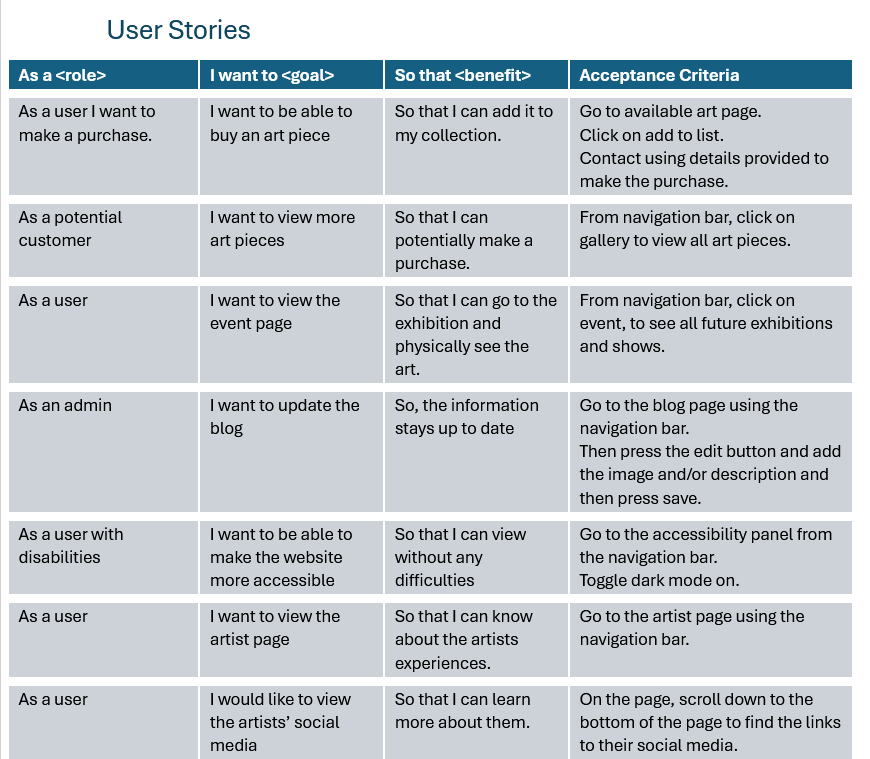
We had a meeting on the first day to speak with the client, Jules Manson, about what the requirements of the site are, and clarification on some decisions that needed to be made. We spent the rest of the day doing analysis for the scenario, including listing functional and non-functional requirements for the site, creating user stories to see the potential experience and issues a user may face when using the site, and we also looked at similar sites for inspiration.
Each student used PowerPoint to create examples of colours, positioning and text sizes that could be used for the real site. We looked at all of these designs as a group to decide which aspects we liked the most, and combined these into a single "reference" that we based our implementation on.
To efficiently split up work between different pupils, I decided to break up our class into four teams, each of which would focus on a specific page to be completed (Home, Gallery, News, Biography).
Design
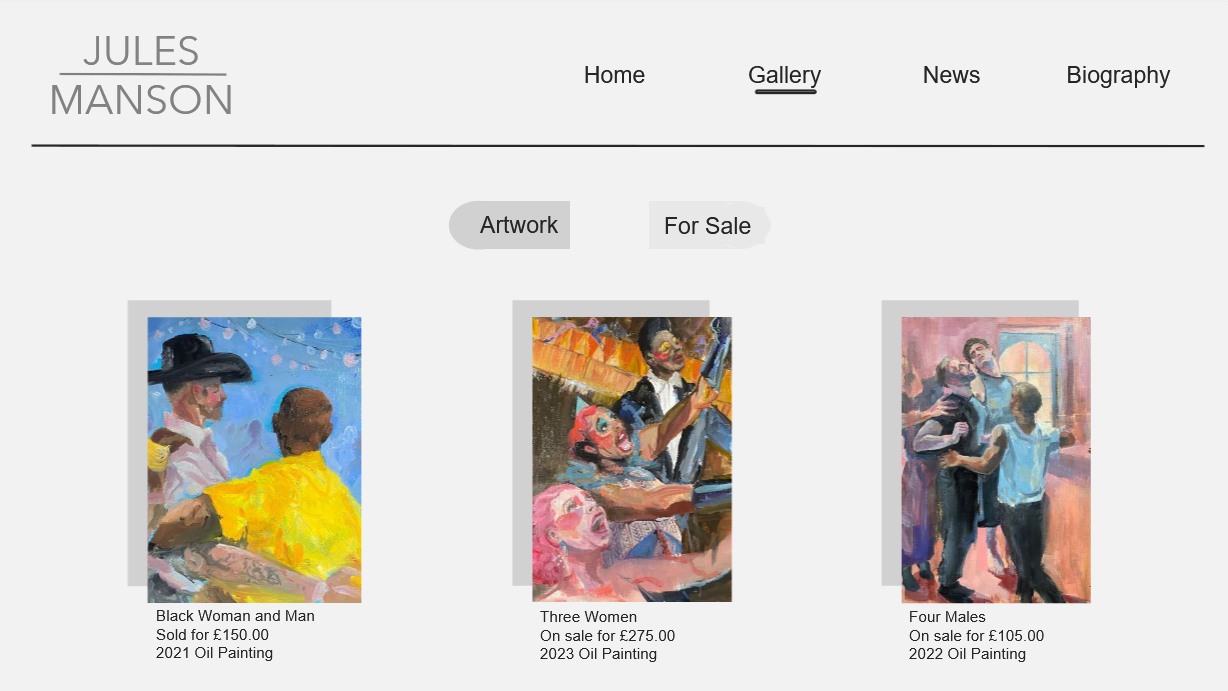
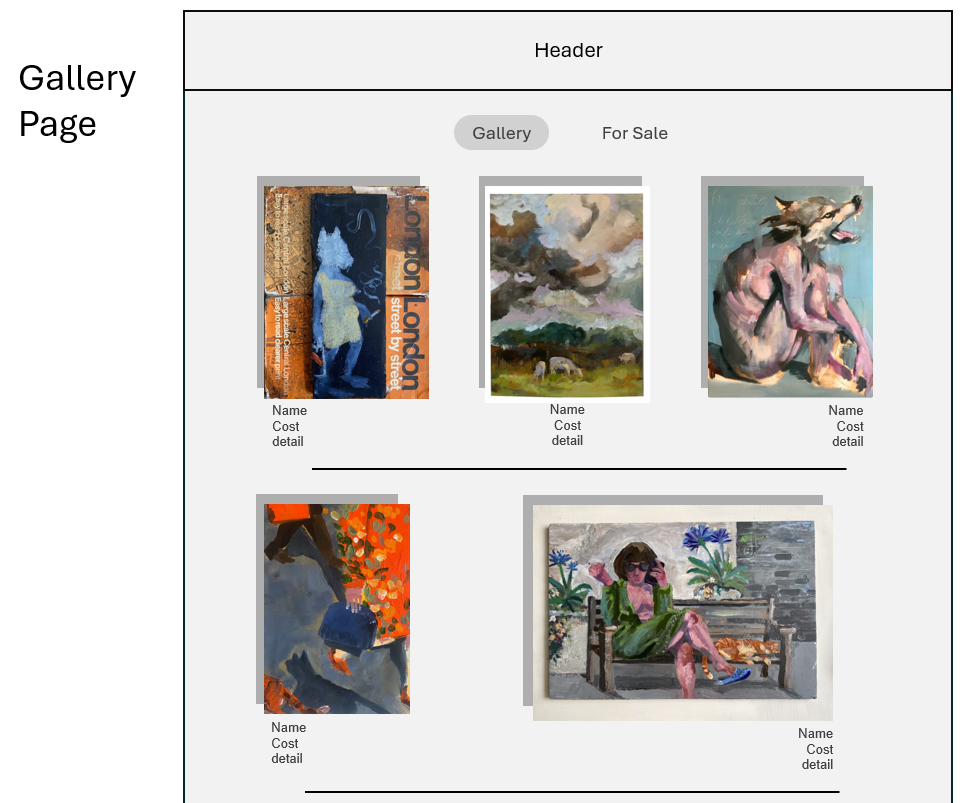
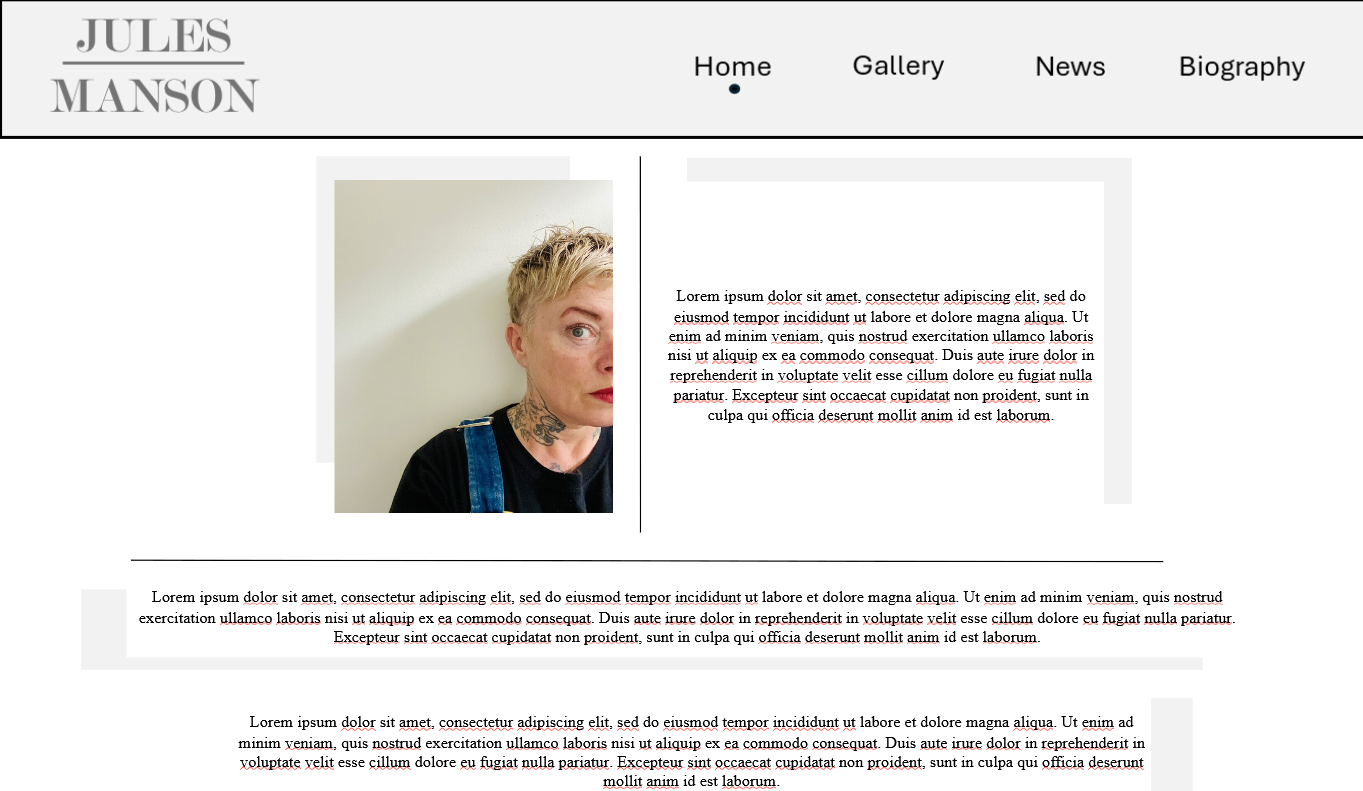
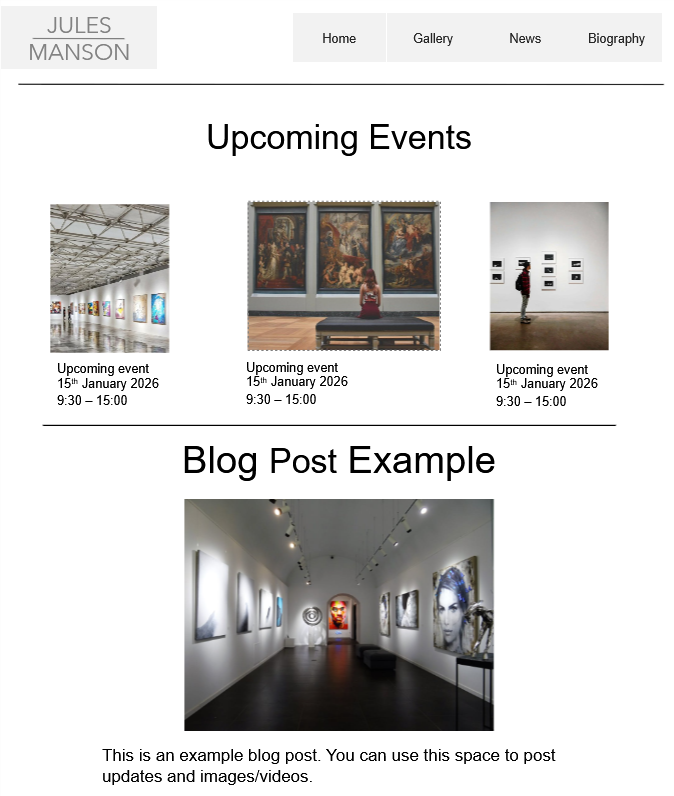
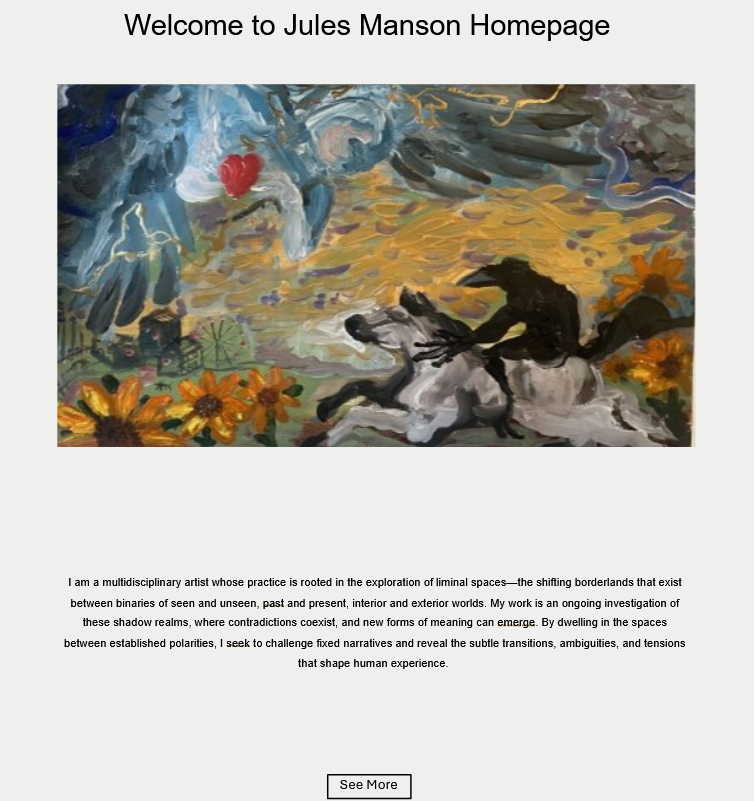
Each team was given the job of creating wireframes / page designs for their respective page. Pupils worked together to create their designs, and collaborated with other teams to ensure consistency. By the end of this phase, all teams had completed their designs, showcased these designs with other teams, and were ready to use them to implement the web pages.
Implementation
The site was developed using HTML, CSS and JavaScript. Although our class is also proficient in implementing back-end functionality, such as using PHP and SQL, we decided that the scenario would not require any kind of database.
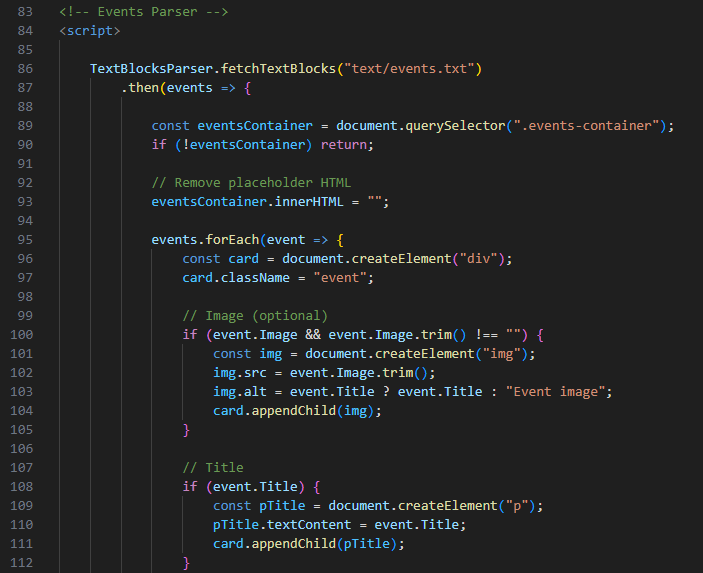
One of the main requirements of the site is that it must be easily editable by the client, without knowledge of any programming languages. To implement this requirement, we developed scripts that would read the content of .txt files, and write the content of each into the page. This would make it easy for anyone to edit, as they would simply need to edit the text files, not the page structure itself.
Each team worked together to develop the code, making suggestions and checking for errors / areas to be improved. Version control was used to create backups of the code and document the progression of development. Once all pages were completed, each were combined to create the final site, which was thoroughly tested by all students.
Conclusion
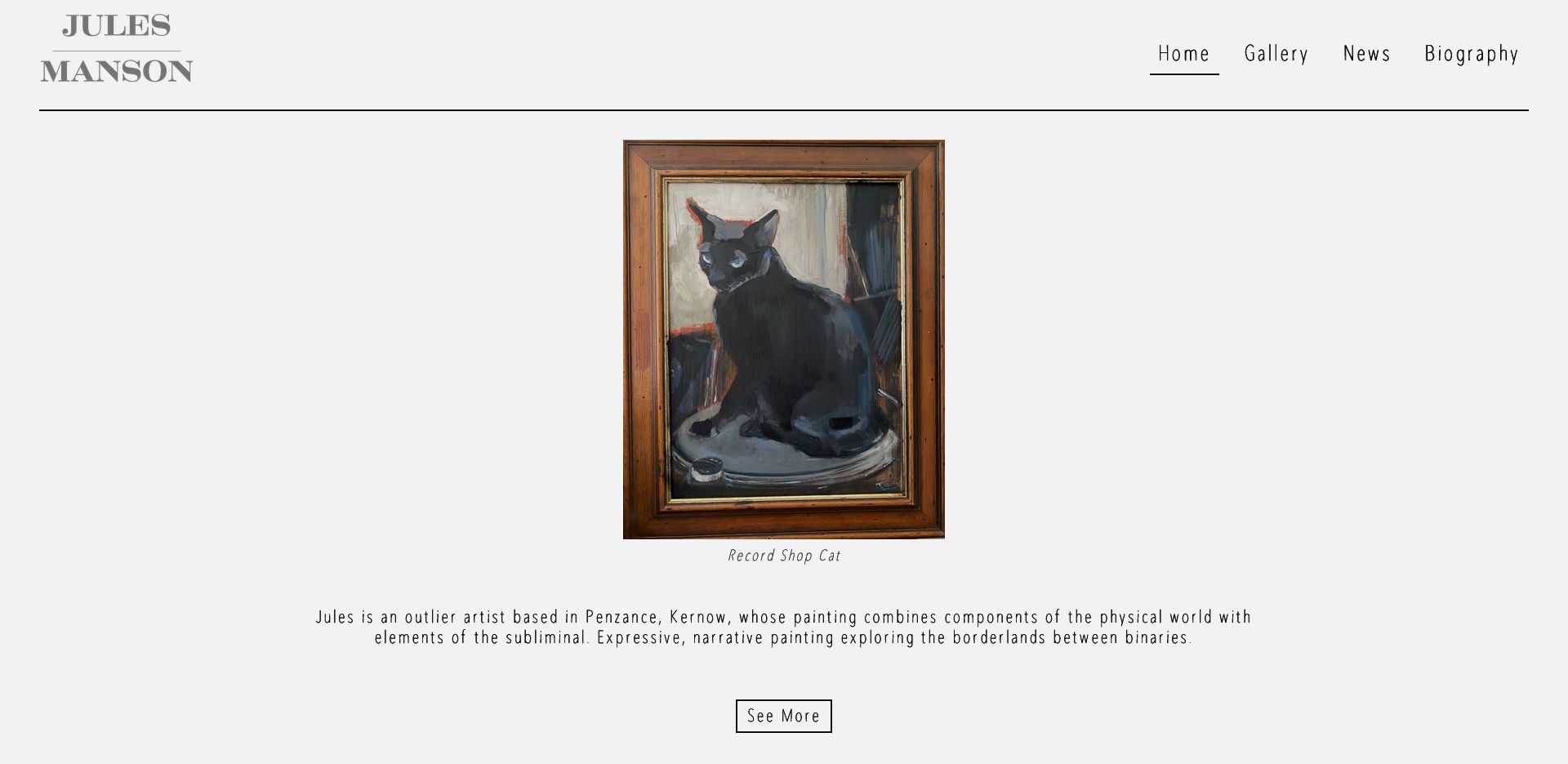
Each team produced "guides" to demonstrate how to edit the contents of the site using the text files; a presentation was also created to explain the different sections and aspects of each page. Both of these were provided to the client, as well as the tools to host the site.
This project tested my teamworking, programming and project management skills, all of which were greatly improved by the end of the project. Students said that the expectations of them were clearly outlined, and communication between teams made development very easy. The website was deployed successfully and now serves as a platform for the client to showcase and advertise artwork.